
Download Clickcharts Pro – Diagram Creator, Flowchart Tool, UML Designer, Productivity Utility
Overview
Clickcharts Pro is a mobile application designed for users seeking to create structured, visually engaging diagrams directly from their smartphones or tablets. The app serves as a comprehensive tool for organizing complex information through flowcharts, UML diagrams, and other visual representations. It addresses the growing need for portable, efficient diagramming solutions that support both personal and professional workflows. Target users include students, educators, project managers, software developers, and business analysts who rely on visual planning to communicate ideas effectively.
While the developer has not disclosed additional background information, the app’s functionality suggests a focus on usability and flexibility. Clickcharts Pro enables users to build well-structured databases and map out logical sequences using intuitive design tools. Its ability to support both automatic and manual tile positioning makes it adaptable to different working styles, from quick brainstorming to detailed technical documentation. Real-world use cases include planning software architecture, outlining business processes, creating study guides, and preparing presentation materials. In the broader app ecosystem, Clickcharts Pro fills a niche for mobile-first diagramming tools that prioritize clarity, customization, and export versatility without requiring a desktop environment.
Key Features & Functionality
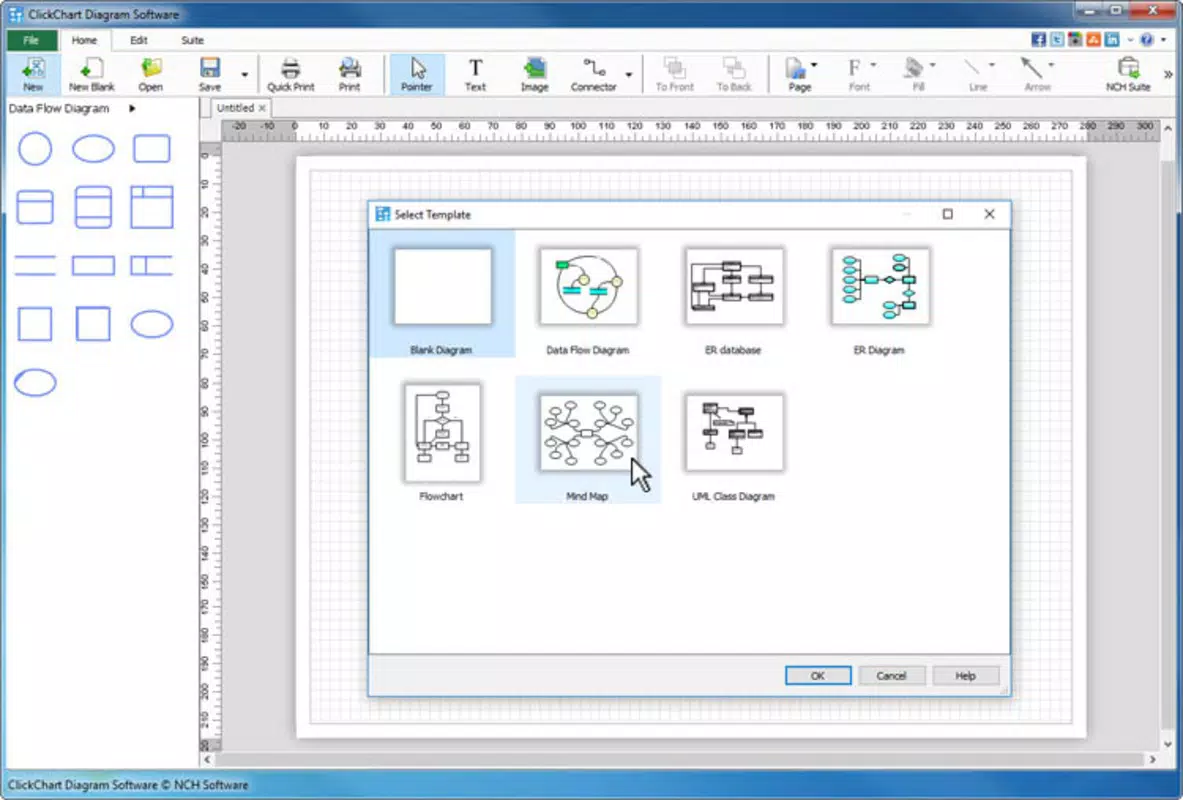
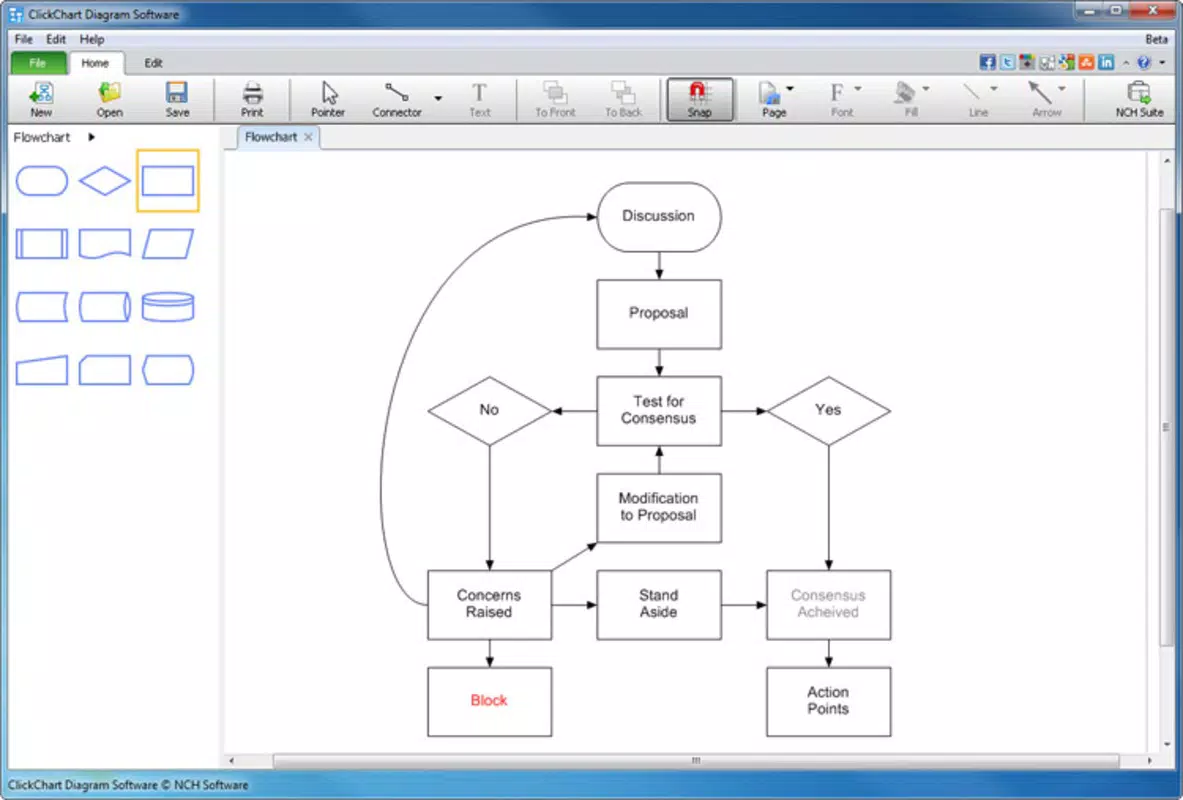
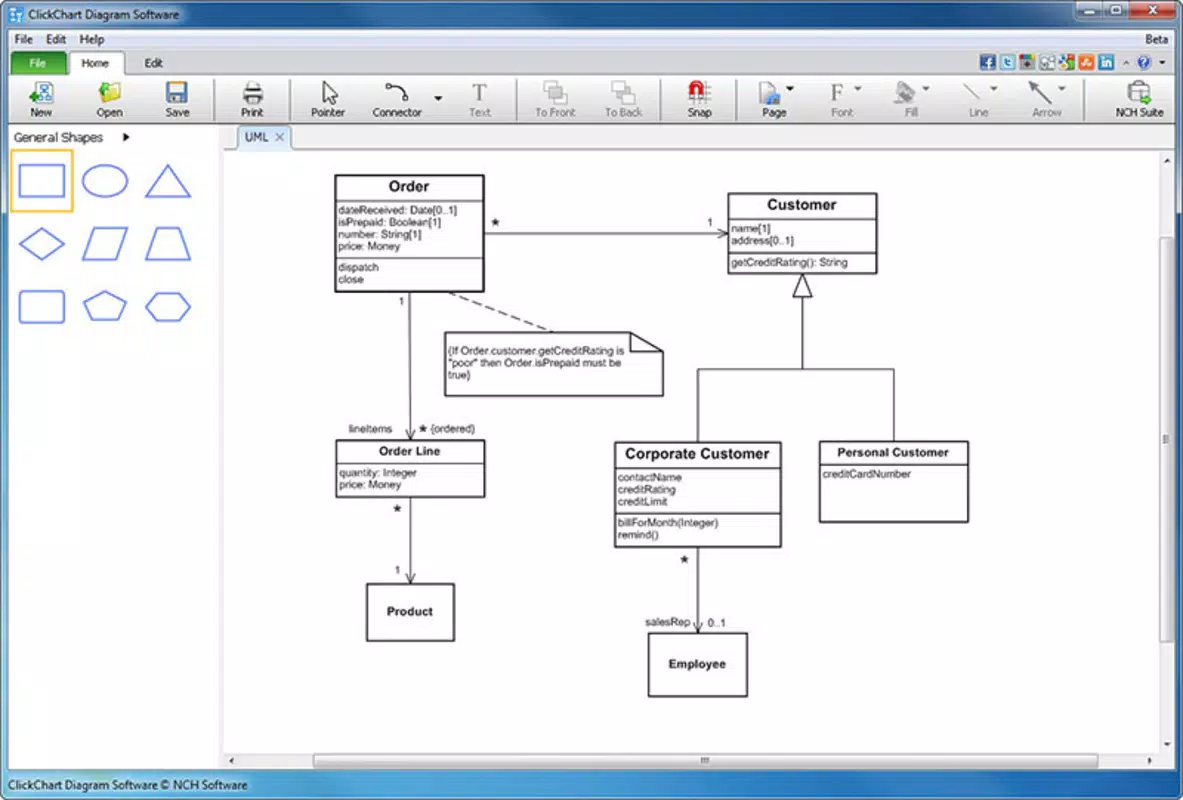
- Intuitive Diagram Creation: The app simplifies the diagramming process with a clean, user-friendly interface. Users can build flowcharts and UML diagrams with minimal learning curve, choosing between automatic layout algorithms and manual placement for precise control.
- Customizable Connectors: Diagram elements can be linked using highly adjustable connectors. This feature supports varied line styles, arrowheads, and routing options, enabling accurate representation of complex relationships and data flows.
- Multiple Diagrams Management: Users can open and manage several diagrams simultaneously. This allows seamless transfer of components between projects, enhancing workflow efficiency and reducing redundancy.
- High-Resolution Exports: Completed diagrams can be exported in multiple image formats. High-resolution print-ready outputs are available, making the app suitable for professional presentations, reports, and documentation.
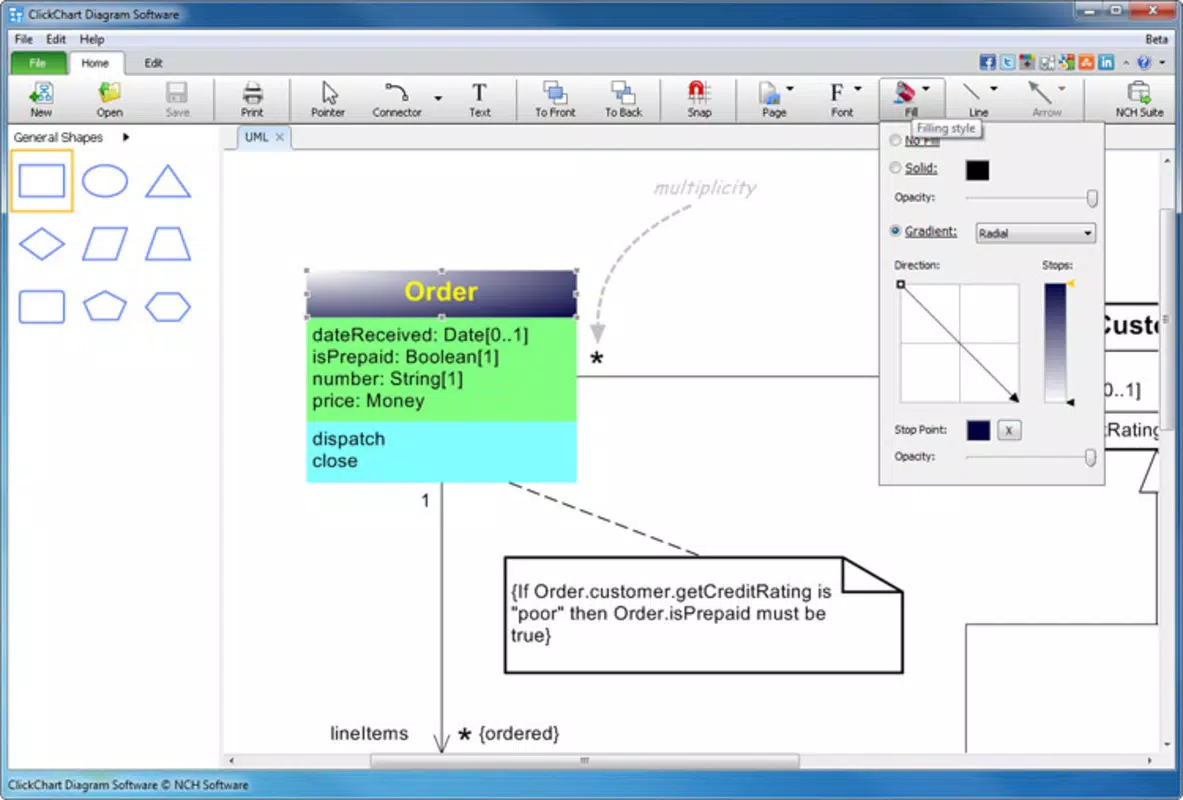
- Rich Customization Options: Enhance visual appeal with embedded images, illustrations, and filters. These tools help users tailor diagrams to specific branding, educational, or technical requirements.
For example, a software developer might use Clickcharts Pro to draft a UML class diagram on the go, then export it as a high-resolution PNG for inclusion in a project proposal. A teacher could create a flowchart explaining a scientific process and share it with students via email or classroom platforms. The app’s flexibility ensures that it supports both rapid ideation and polished final outputs.
Interface, UX & Performance
Clickcharts Pro features a clean, organized interface optimized for touch-based interaction. The layout prioritizes accessibility, with toolbars and menus positioned for easy reach on mobile screens. Navigation is straightforward, allowing users to switch between diagrams, access settings, and apply formatting with minimal taps. Visual feedback is consistent, contributing to a smooth user experience.
Although the developer did not list formal performance metrics, the app appears to handle multiple diagrams and high-resolution exports efficiently. Users can expect responsive interactions across various device categories, including tablets and larger smartphones. Stability during extended use has not been reported as an issue in available documentation. The app maintains consistent performance during diagram editing, with minimal lag when adjusting connectors or resizing elements. The interface remains stable even when working with complex layouts, suggesting optimized rendering and memory management.
Platform Compatibility & Technical Requirements
Clickcharts Pro is available on Android and iOS platforms. The app’s current version is 2.0.1, with a file size of 45.8 MB. The developer did not specify minimum OS requirements or device compatibility details. Users should ensure their device meets general mobile standards for running productivity applications. Specific hardware or software prerequisites were not disclosed.
Pros and Cons
Pros
- Intuitive touch-based interface ideal for mobile use
- Supports both automatic and manual diagram layout
- Multiple diagrams can be managed simultaneously
- High-resolution export options for professional use
- Extensive customization tools for visual polish
Cons
- Minimum OS requirements were not specified
- Developer background and company details not publicly available
- No information on cloud sync or collaboration features
- Offline functionality not confirmed
- Limited documentation on advanced features
FAQ
Is Clickcharts Pro available for both Android and iOS?
Yes, Clickcharts Pro is designed for mobile platforms, supporting both Android and iOS devices.
Can I export my diagrams in high resolution?
Yes, the app allows users to export diagrams in various image formats with high-resolution output, suitable for print and professional presentations.
Does Clickcharts Pro support collaboration?
The developer did not provide information on real-time collaboration or cloud-based sharing features.
Is Clickcharts Pro free to download?
While the app is available for download, the price was not specified in the provided data. Users should check the app store for current pricing.
What types of diagrams can I create with Clickcharts Pro?
Users can create flowcharts, UML diagrams, and other structured visual representations using the app’s flexible tools and layout options.
Final Thoughts
Clickcharts Pro stands out as a capable mobile solution for users who need to design, organize, and share structured diagrams on the go. Its blend of intuitive design, robust customization, and high-quality export options makes it a valuable tool for professionals and students alike. The ability to manage multiple diagrams and adjust connectors with precision enhances productivity, while the mobile-first approach ensures accessibility across devices.
Although some technical and feature details remain undisclosed, the app delivers a polished experience focused on core diagramming needs. For those seeking a secure, efficient, and visually effective tool to plan workflows, document processes, or visualize data, Clickcharts Pro offers strong value. With its growing relevance in remote and mobile work environments, it represents a practical addition to any digital productivity toolkit.
Download Clickcharts Pro now


